

Ghostwriter can generate a narrative outline from an operation log and append it directly to a report’s rich text field. This helps operators leverage log entries to kickstart their work on attack path narratives.Documentation Index
Fetch the complete documentation index at: https://specterops-2-feature-scoped-api-tokens.mintlify.app/llms.txt
Use this file to discover all available pages before exploring further.
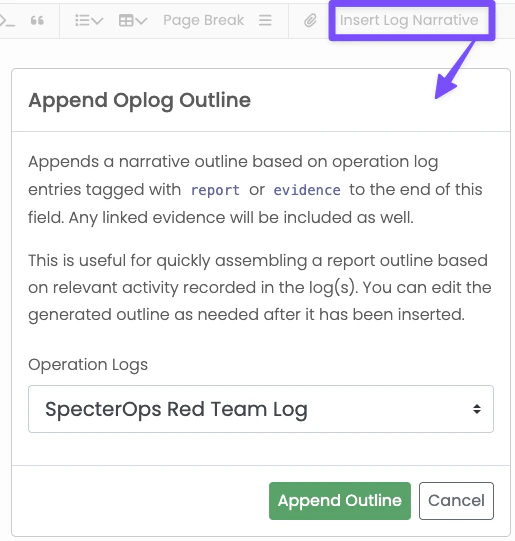
report or evidence. Administrators can also configure
additional tags in Global Report Configuration with the Outline Tags setting.
Configuring Narrative Outline Tags
The Outline Tags setting accepts a comma-separated list of include rules:- Exact tag matches like
report,evidence, orcredentials - Wildcard prefix matches like
cred*ordetect*that match entries likecredsordetection - Namespaced prefix shorthand like
att&ck:
CREDENTIAL, credential, and Credential are treated the same.
Examples
report,evidence,credentialincludes entries tagged exactly withreport,evidence, orcredentialreport,evidence,cred*includescred,creds,credential, andcredentialsreport,evidence,detect*includesdetectanddetectionreport,evidence,att&ck:includes any tag that starts withatt&ck:
What the Outline Includes
For each matching entry, Ghostwriter:- Sorts entries by start date and
- Formats timestamps in UTC
- Uses the default Ghostwriter date format for the date presentation
- Falls back to
N/Awhen key fields are blank - Appends linked evidence objects with references after the narrative line